Features

Powerful Features for
Complete App Control

Everything you need to clone, customize, and protect your apps. From basic cloning to advanced privacy features, DualCloner has you covered.

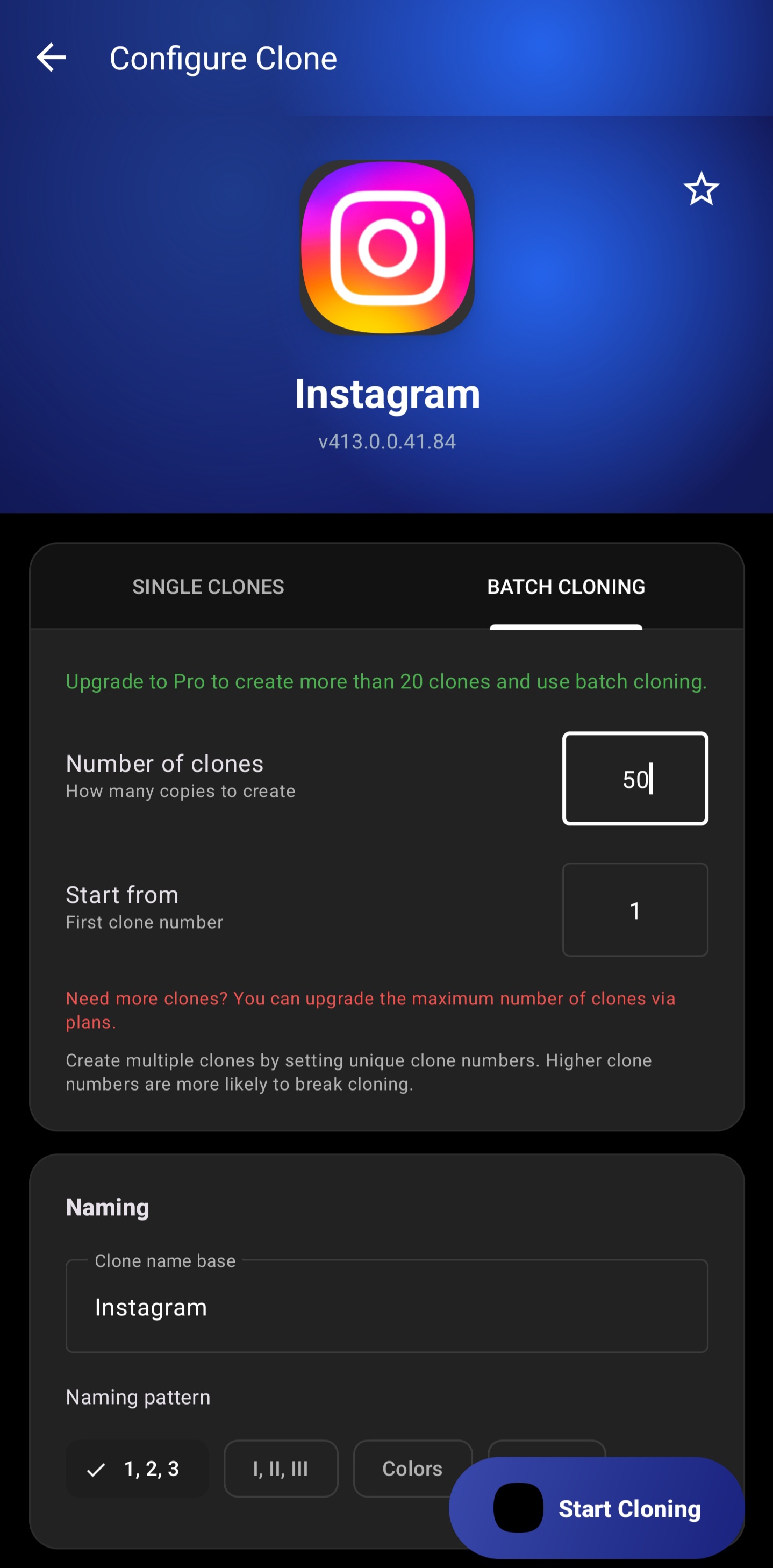
App Cloning Feature - Batch clone any app instantly
App Cloning

Clone Any App Instantly

Create perfect copies of any installed app with just one tap. Our advanced technology ensures 99.9% compatibility with all Android apps.

One-Tap Cloning

Select any app and create a clone instantly. No complicated setup required.

Batch Cloning

Clone multiple apps at once. Select all the apps you need and clone them in one go.

Up to 20 Clones Per App

Create multiple instances of the same app. Perfect for managing many accounts.

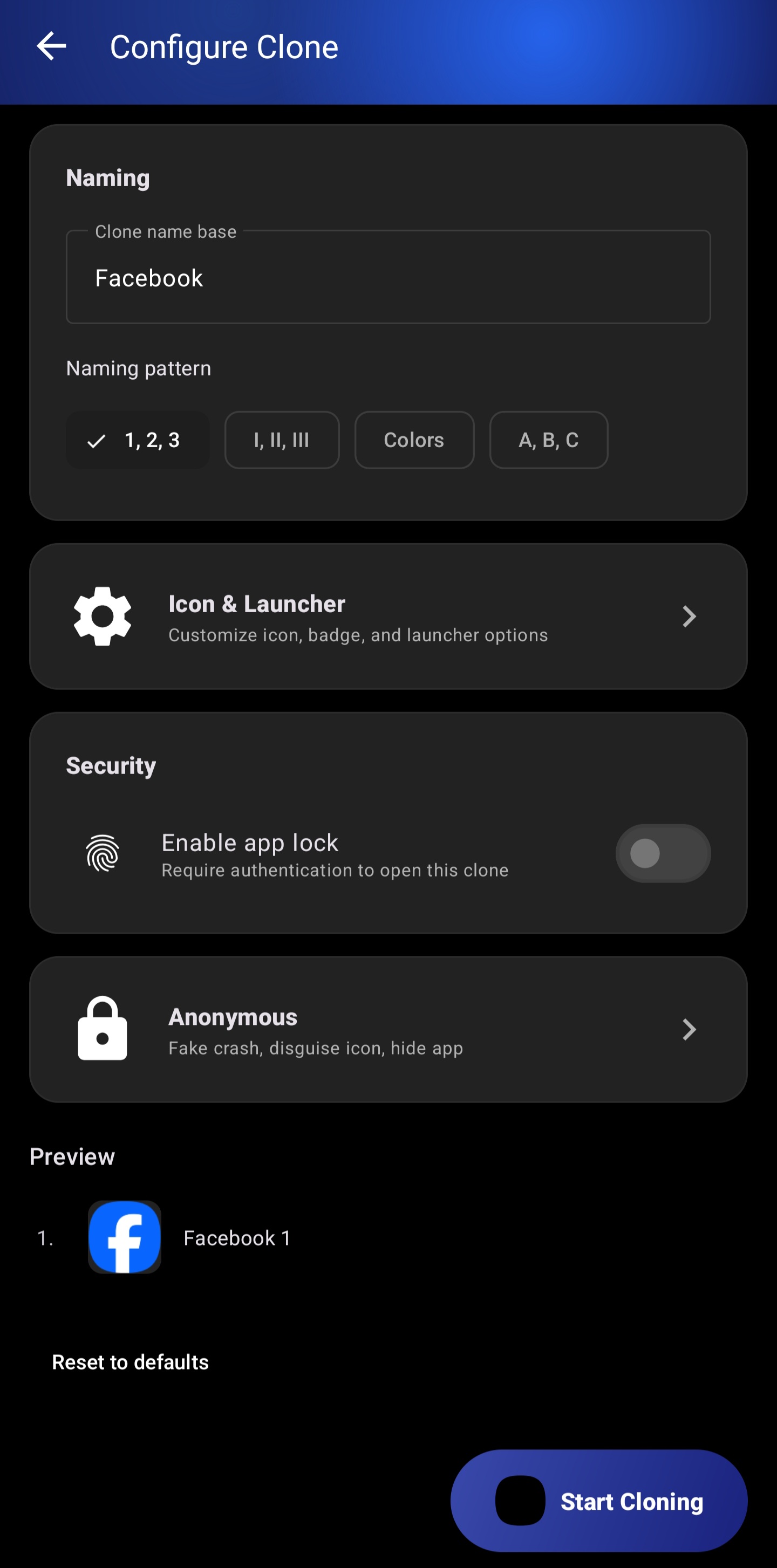
Custom Naming Patterns

Automatically name your clones with patterns like "App 2", "App (Work)", etc.

Works With All Apps

Social media, messaging, games, banking apps, and more. If it's on your phone, you can clone it.
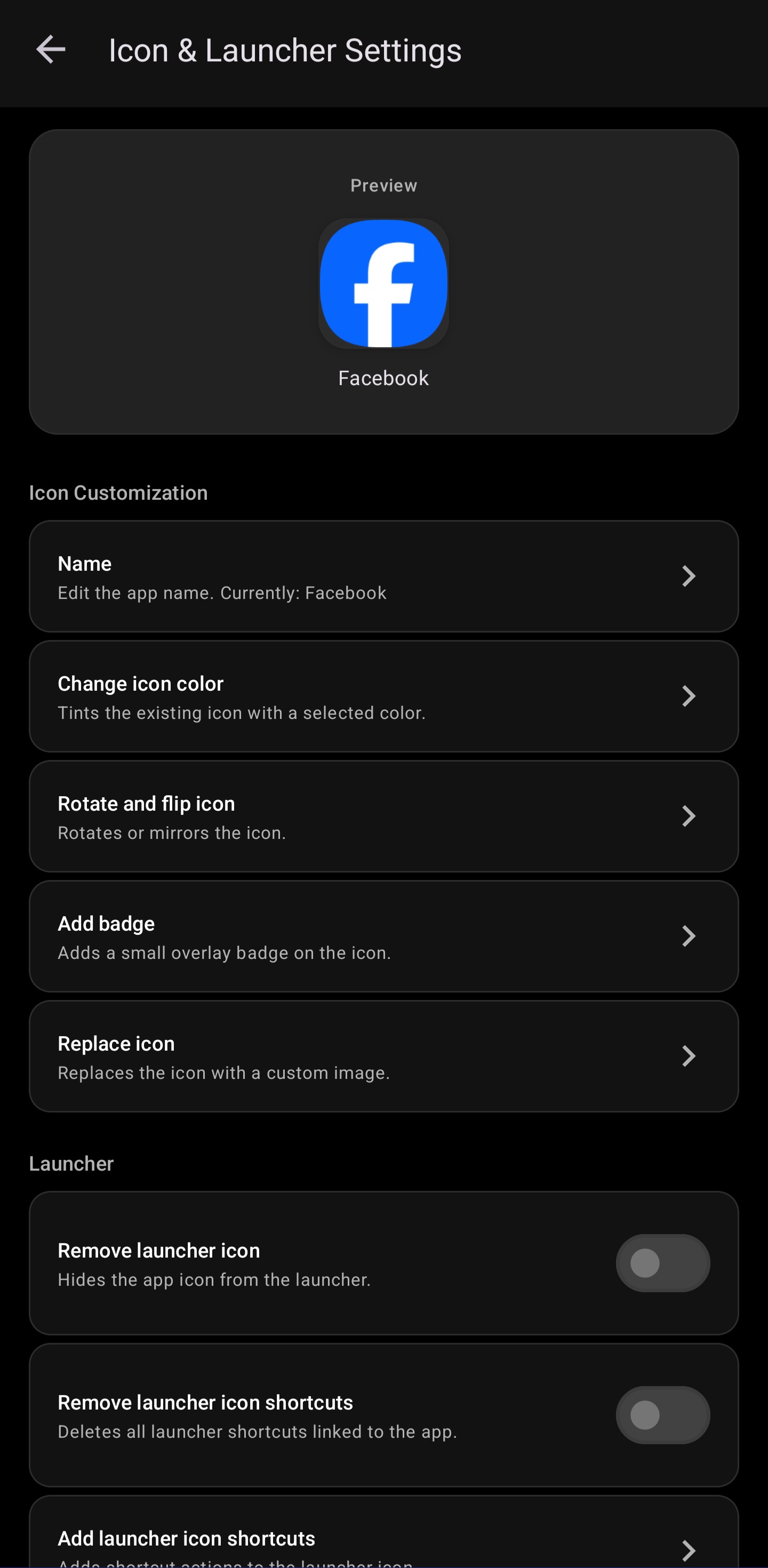
Icon Customization Feature - Personalize your clones
Customization

Make It Your Own

Personalize every clone with custom icons, colors, and badges. Easily identify different accounts at a glance.

Icon Color Tinting

Change the color of any app icon. Choose from presets or pick any custom color.

Badge Overlays

Add numbered badges, custom labels, or status indicators to your clone icons.

Custom Icon Replacement

Replace the default icon with any image from your gallery or our icon library.

Rotate & Flip

Rotate or flip icons to create unique variations that stand out.

Themed Icon Generation

Auto-generate themed icons that match your device's style and wallpaper.

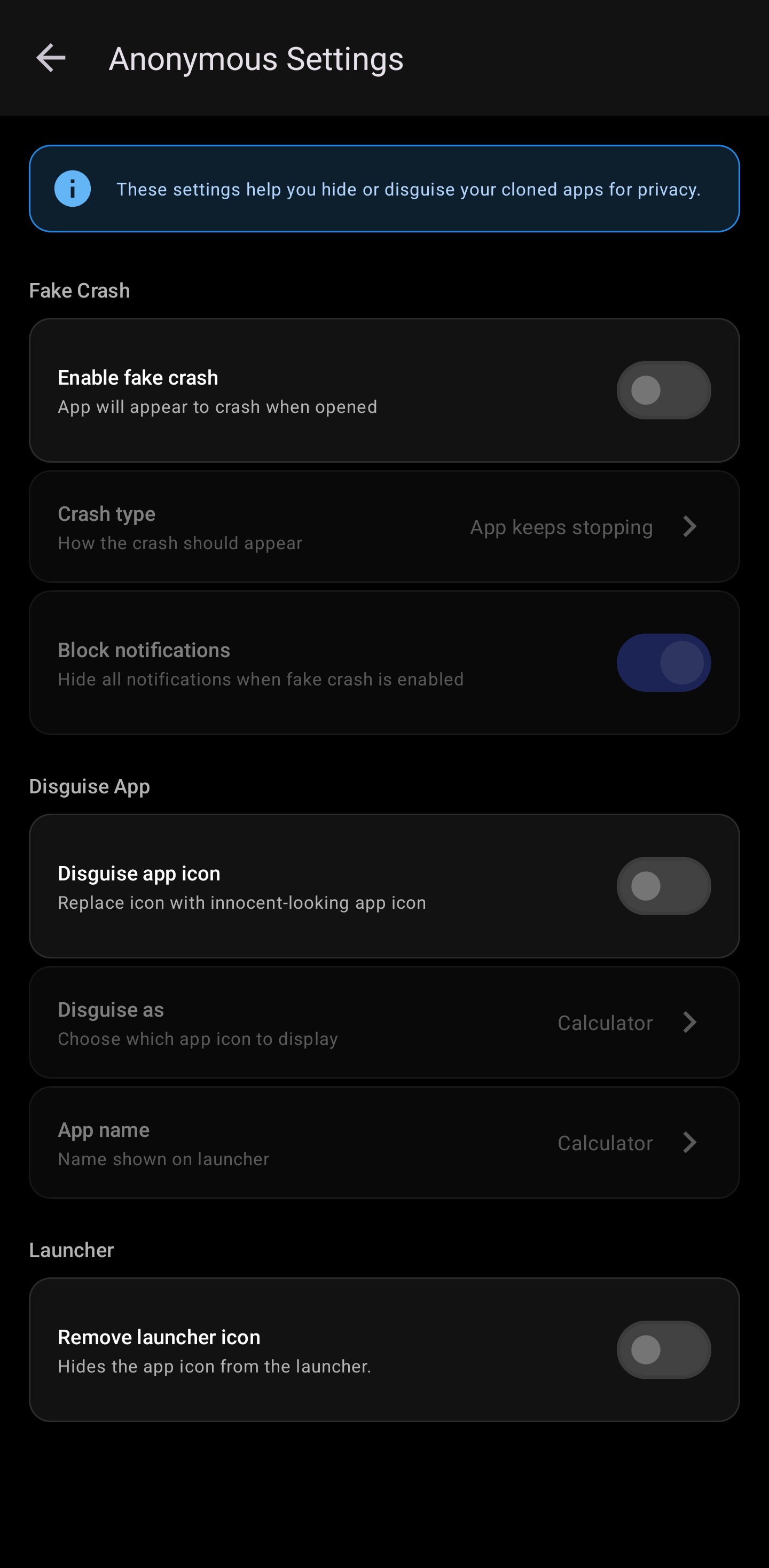
Privacy Mode Feature - Hide apps in plain sight
Privacy

Hide in Plain Sight

Keep your cloned apps private with powerful stealth features. Perfect for sensitive apps you don't want others to see.

Fake Crash Dialog

When someone opens your hidden app, it shows a realistic crash message and closes.

App Disguise

Make your clone look like Calculator, Notes, Weather, or any innocent app.

Hide from Launcher

Remove the app icon completely. Access it only through DualCloner with authentication.

Block Notifications

Prevent hidden apps from showing notifications that might reveal their presence.

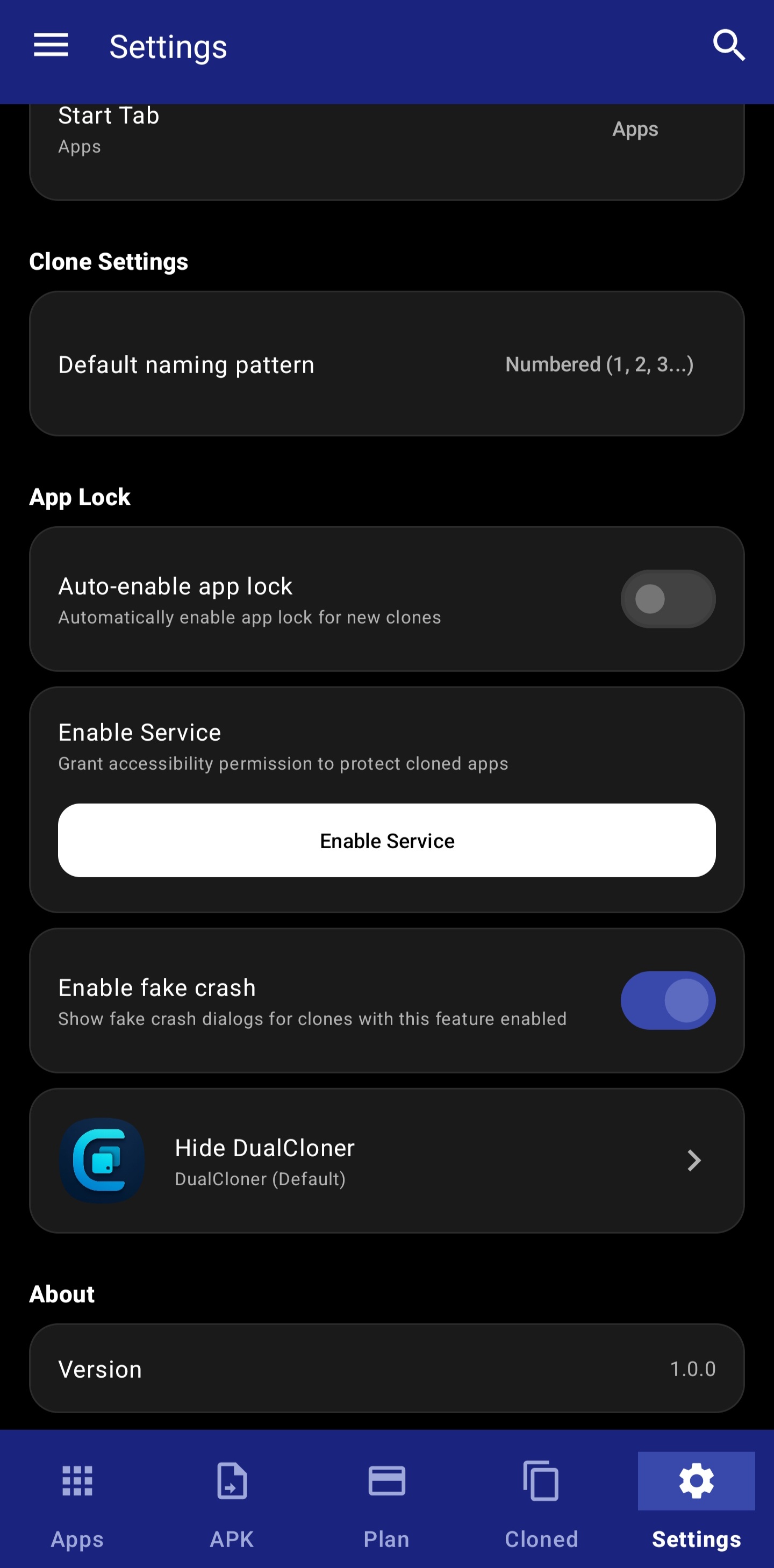
App Lock Security Feature - Protect your apps
Security

Your Apps, Protected

Add an extra layer of security to your cloned apps with multiple lock options and biometric authentication.

PIN Protection

Set a 4-6 digit PIN to lock your cloned apps. Simple yet effective protection.

Password Protection

Use a strong alphanumeric password for maximum security.

Pattern Lock

Draw a custom pattern to unlock. Quick and convenient for daily use.

Biometric Authentication

Use your fingerprint or face to unlock. The fastest and most secure option.

Auto-Lock on Switch

Automatically lock apps when you switch away. Never forget to lock manually.

Clone Management Feature - Manage all your clones
Management

Organized & In Control

View and manage all your cloned apps from one central dashboard. Quick actions, usage tracking, and more.

Central Dashboard

See all your cloned apps in one place. View status, usage stats, and quick info at a glance.

Quick Actions

Launch, configure, or uninstall any clone with just a few taps. No digging through settings.

Usage Tracking

Track clone usage per device. See which clones you use most and storage consumed.

APK Import

Import and clone APK files directly. Clone apps that aren't installed on your device.

Comparison

Feature Availability by Plan

See which features are available in each subscription tier

Feature Free Basic Pro Premium
Clone Limit 3 clones 10 clones 20 clones Unlimited
Batch Cloning
Icon Customization Basic Full Full Full
Custom Icons
Anonymous Mode
App Lock
Devices 1 2 2 5
Support Standard Email Priority Premium 24/7

Experience All Features

Download DualCloner today and start cloning your favorite apps

Android Only | No Root Required